
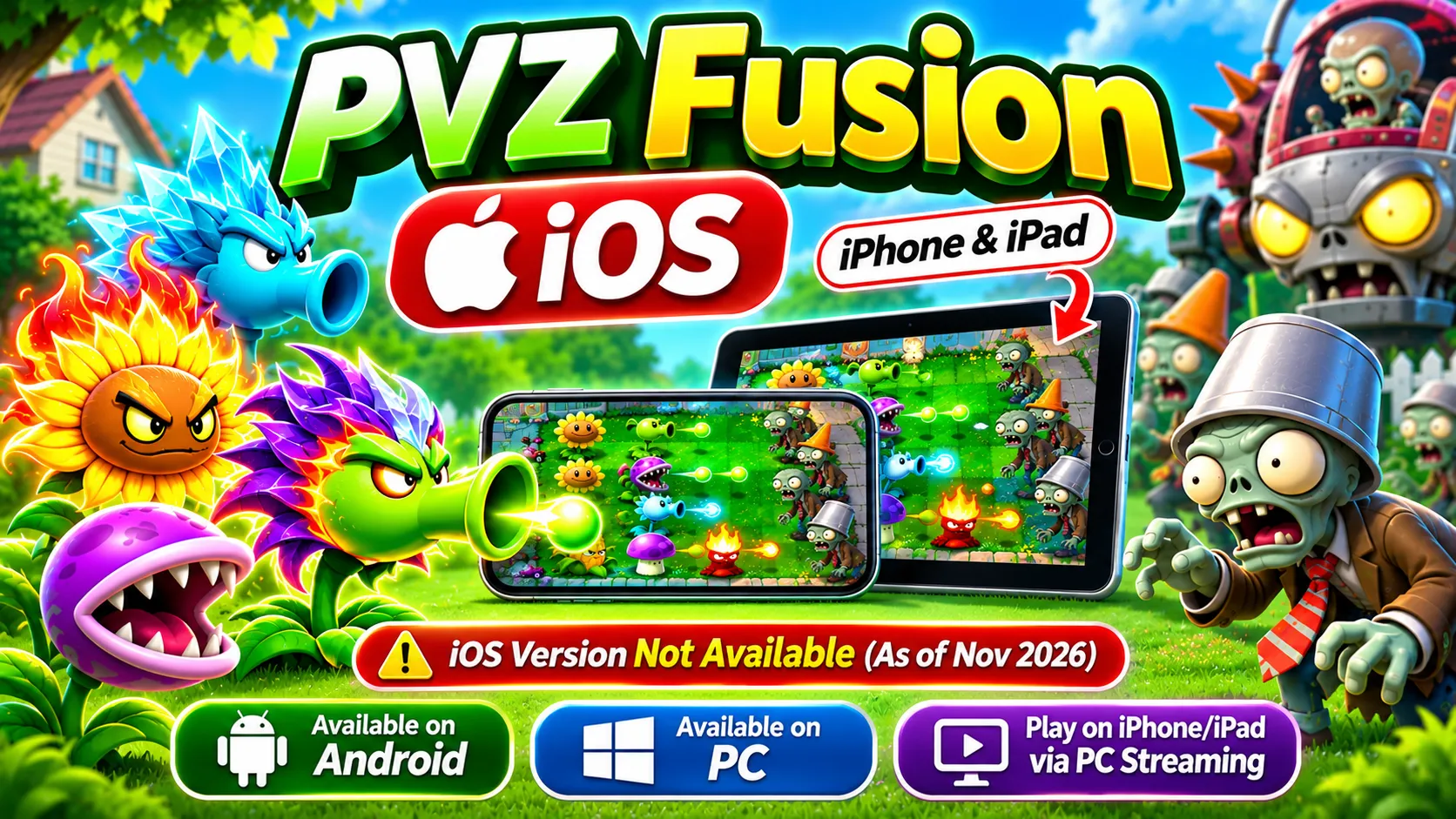
Imagine combining your favorite plants into powerful new defenders and taking on zombie waves that are tougher than anything you’ve faced before. That’s the appeal of PVZ Fusion, a creative fan-made version of the classic Plants vs. Zombies experience.
Naturally, iPhone and iPad users want to join the fun. Searches for PVZ Fusion iOS download, PVZ Fusion IPA, and Plants vs Zombies Fusion for iPhone have led many players to websites promising instant installation. Unfortunately, finding a trustworthy iOS version isn’t as straightforward as downloading a normal App Store game.
As of November 2026, PVZ Fusion is available for Android and Windows PC, but a verified native iOS version has not been released. That doesn’t mean Apple users have to give up on exploring the game.
In this guide, we’ll explain the current download situation, possible ways to play on an iPhone or iPad, the game’s main features, compatibility concerns, and the precautions worth taking before installing anything.
What Is PVZ Fusion iOS?
PVZ Fusion, also known as Plants vs. Zombies Fusion, is a fan-made tower defense game inspired by the original Plants vs. Zombies series. It keeps the familiar idea of protecting your lawn from approaching zombies while introducing a major twist: combining plants to create new abilities and defensive strategies.
Instead of relying only on traditional characters such as Peashooter, Sunflower, and Wall-nut, players can experiment with fusion combinations that change how plants attack, defend, or support nearby units. The result is a game that feels familiar but encourages a different approach to every battle.
The project was created by a fan development team led by LanPiaoPiaoFly, also known as Blue Fly. It is not an official Electronic Arts or PopCap Games release.
Although players frequently search for a PVZ Fusion iOS edition, the currently documented releases are intended for PC and Android devices.
PVZ Fusion iOS Download – Latest Version & Availability
Before downloading anything labeled PVZ Fusion for iPhone, it’s important to understand which versions actually exist.
Is PVZ Fusion Available for iOS in 2026?
Currently, there is no verified native PVZ Fusion release for iPhone or iPad. The fan project has received updates and community support on Android and Windows, but those releases do not automatically work with Apple’s operating system.
Some third-party websites advertise special iOS installers or modified versions. However, an advertised download button alone isn’t proof that a working iOS application exists. Until a genuine release can be verified, players should treat such downloads cautiously.
PVZ Fusion iOS IPA Download Status
An IPA file is an application package used by Apple’s iOS and iPadOS platforms. For PVZ Fusion to work as a native iPhone application, developers would need to create a compatible iOS build and distribute it through an appropriate installation method.
At present, no trustworthy, developer-confirmed PVZ Fusion IPA file has been identified. Be careful with websites offering a file named PVZ-Fusion-iOS.ipa without explaining its source, developer, or compatibility. Renaming another type of game file does not make it compatible with iOS.
Is PVZ Fusion Available on the App Store?
No. PVZ Fusion does not currently have a verified listing on the Apple App Store. You may find official games from the Plants vs. Zombies franchise, including Plants vs. Zombies 2, but these are separate from the fan-made Fusion project.
Always check the developer’s name before installing a game. Similar titles and images can make unrelated applications look like the version you’re searching for.
PVZ Fusion iOS Release Date and Latest Updates
- There is no confirmed release date for PVZ Fusion on iOS.
- The development community continues to work on the game for its existing platforms, but that doesn’t guarantee an iPhone version will arrive.
- Building an iOS edition requires additional development, testing, and compatibility work.
- For the latest information, follow credible announcements from the PVZ Fusion development community rather than relying on websites that display unverified release dates.
How to Download and Play PVZ Fusion on iOS?
If you own an iPhone or iPad, you might be wondering whether there’s another way to enjoy the game.
Although direct installation is not currently verified, there are a few approaches worth understanding.
Can You Download PVZ Fusion on iPhone?
You cannot currently download a verified native PVZ Fusion version directly onto an iPhone.
The Android APK and Windows files available through community releases are designed for their respective operating systems.
Downloading either file onto an iPhone will not turn it into a functioning iOS game.
For now, the practical solution is to run PVZ Fusion on a compatible computer and, if desired, access that computer remotely from your phone.
How to Play PVZ Fusion on iPad?
The same limitations apply to iPad users.
Even though an iPad offers a larger display that could be enjoyable for tower defense games, there is no verified native iPadOS build of PVZ Fusion.
However, an iPad can be used as a remote display for a PC running the game.
This requires a compatible streaming application, a working computer, and a stable network connection. Control support may need additional configuration.
Can You Install PVZ Fusion Using an IPA File?
IPA installation is possible for legitimate, compatible iOS applications, but you first need a real iOS build.
Since a verified PVZ Fusion IPA is unavailable, there is no confirmed installation procedure to recommend.
Avoid downloading random IPA packages simply because their filenames mention PVZ Fusion.
A file might contain an unrelated application, fail to launch, or require permissions that have nothing to do with playing the game.
Can AltStore or Sideloadly Install PVZ Fusion?
AltStore and Sideloadly are tools used to install certain iOS applications outside the App Store.
However, these tools cannot convert Android APK files or Windows programs into iPhone applications.
They also cannot guarantee that a downloaded IPA is genuine or secure.
Without a compatible, trustworthy PVZ Fusion iOS build, using a sideloading utility does not solve the underlying problem.
Play PVZ Fusion on iPhone Using PC Remote Streaming
Remote streaming is one possible way to experience PVZ Fusion on an Apple device without installing the game natively.
Here is the general process:
- Install a verified PVZ Fusion PC build on your Windows computer.
- Make sure the game launches and runs correctly.
- Set up a compatible PC game-streaming solution, such as Sunshine with Moonlight.
- Install the corresponding streaming client on your iPhone or iPad.
- Connect the devices according to the streaming software’s instructions.
- Launch PVZ Fusion on the computer and view it through your Apple device.
Remember that the game still runs on your computer. Your iPhone only displays the streamed gameplay and sends controls back to the PC.
Performance depends on the computer, network quality, and whether the game’s controls work properly through the streaming application.
Why Is PVZ Fusion Not Available for iOS?
The absence of an iOS version is mainly a software compatibility issue rather than a limitation of the game’s concept.
iOS Compatibility and Development Limitations
Android, Windows, and iOS use different application environments.
A program developed for one operating system usually requires additional work before it can run natively on another.
Apple devices also have their own app-signing and distribution requirements. Developers must account for these differences when creating an iOS release.
For a fan-made project, supporting another platform can require significant additional time and resources.
APK vs IPA – What’s the Difference?
APK and IPA files serve different platforms.
| File Format | Designed For | PVZ Fusion Status |
| APK | Android phones and tablets | Available |
| EXE / PC package | Windows computers | Available |
| IPA | iPhone and iPad | No verified native release |
The file format matters because it determines how an operating system recognizes and installs an application.
Can Android APK Files Work on iPhone?
No. An Android APK cannot run directly on an iPhone or iPad.
Changing the extension from .apk to .ipa will not make the software compatible.
Similarly, installing a file manager or downloading an APK through Safari does not allow iOS to execute an Android game.
Will PVZ Fusion Come to iOS in the Future?
An iOS version remains a possibility, but no confirmed launch plans or release schedule are available.
If the developers eventually announce an iPhone edition, it would need proper testing and clear distribution information.
Until then, any specific release date should be treated as speculation rather than an official announcement.
Salient Features of Plants vs Zombies Fusion
PVZ Fusion introduces new ways to experiment with plants, respond to zombie attacks, and build defensive strategies. The following features describe the PC and Android game, not a currently available iOS version.
Hybrid Plants and Unique Fusion Combinations
Plant fusion is the main attraction of the game.
Instead of choosing only individual plants, you can create hybrid defenders by combining compatible plant types. Different combinations produce different results, encouraging you to experiment with offensive power, protection, and resource management.
A combination that works well against ordinary zombies may not be the best choice for a tougher boss encounter.
That’s what makes planning important. Winning isn’t always about placing more plants; sometimes it’s about finding the right combination.
Powerful Zombies and Challenging Boss Battles
PVZ Fusion doesn’t simply give plants new abilities and leave the zombies unchanged.
Players also encounter unusual zombie types, stronger enemies, and demanding boss battles.
Some enemies require more attention because they can withstand repeated attacks or put pressure on your defenses in unexpected ways.
These encounters reward players who adjust their plant combinations rather than following the same strategy in every level.
Multiple Game Modes and Exciting Challenges
Beyond ordinary lawn defense, PVZ Fusion includes different modes and challenges that change the way you play.
Adventure-style progression provides a structured way to discover plants and learn fusion mechanics.
Other challenges may introduce special restrictions, difficult enemy formations, or different objectives depending on the version.
This variety helps keep the experience interesting after you’ve become familiar with basic gameplay.
New Plants, Levels, and Special Abilities
The game’s expanding selection of plants is one of the reasons players return to explore newer builds.
Some plants focus on dealing damage, while others help protect your defenses or support a specific strategy.
Additional plant combinations create opportunities to tackle familiar situations in completely different ways.
The exact selection of plants, levels, and abilities depends on the game version you’re using.
Coins, Rewards, and Unlockable Content
Progression gives players another reason to complete challenges and explore different game modes.
Depending on the build, certain content may be unlocked through gameplay, progression, or mode-specific systems.
Rewards and unlock requirements can vary between releases, so players should check the information provided within their installed version.
Customizable Gameplay and Strategic Battles
One of the most enjoyable parts of PVZ Fusion is deciding how to build your defense.
You might prefer powerful offensive plants that attack aggressively, or a slower strategy built around protection and resource generation.
The fusion system encourages experimentation because combinations can change how your defense behaves.
Learning when and where to place each plant becomes just as important as discovering new hybrids.
Improved Graphics, Animations, and Effects
PVZ Fusion maintains the recognizable cartoon-inspired atmosphere of Plants vs. Zombies while adding visual effects for its unique characters and attacks.
Fusion plants can introduce unusual attack animations and make battles feel more active.
The overall appearance remains familiar to long-time fans, but the new plant designs give the game its own personality.
Regular Updates and New Content
The fan development community has continued expanding PVZ Fusion through different releases.
Updates may introduce new combinations, enemy types, gameplay adjustments, or bug fixes.
However, a newly released version isn’t necessarily available in every language or on every platform at the same time.
Always check the version number and platform before downloading an update.
Multiple Languages and Community Translations
PVZ Fusion originated in Chinese, but community translators have helped make the game more accessible to international players.
English and other language options can be found in certain community builds.
Translation availability depends on the specific release. A newer Chinese build may offer additional content while an older translated build provides a more comfortable experience for players who don’t understand Chinese.
PVZ Fusion iOS Compatibility and System Requirements
Because PVZ Fusion has no verified native iOS release, official iPhone and iPad system requirements are not available.
PVZ Fusion for iPhone – Supported Models
There is currently no confirmed list of supported iPhone models.
Whether you own an older iPhone or a recent flagship device, having powerful hardware does not automatically make an unsupported application compatible.
PVZ Fusion for iPad – Compatibility Status
No iPad models have been officially confirmed as compatible with a native PVZ Fusion release.
If you’re using remote streaming, compatibility will depend on your streaming application and the device’s supported operating system.
Does PVZ Fusion Work on iOS 18 or Newer?
A newer iOS version does not provide native compatibility with PVZ Fusion. Even if your phone is fully updated, you still need an application built for iOS. Software updates alone cannot turn Android or Windows game files into iPhone-compatible apps.
Can You Play PVZ Fusion on Mac?
There is no verified native macOS release of PVZ Fusion. Some users may explore Windows compatibility tools or virtual machines, but success depends on the Mac’s hardware, software, and the particular game build. These workarounds should not be confused with an official Mac version.
How to Play PVZ Fusion Without an iOS Version?
If you want to experience the game’s actual fusion mechanics, using an available platform is the most straightforward option.
Download PVZ Fusion APK for Android
Android users can install a compatible PVZ Fusion APK from official website https://thepvzfusion.com/.
Before installation, check the file’s version, language, and origin. Scan the download with a reputable security tool and follow the instructions associated with that release.
Avoid modified installers that demand unnecessary permissions.
Install PVZ Fusion on Windows PC
Windows players can use the PC version of PVZ Fusion.
After downloading the correct build, follow its installation instructions and keep the extracted game files together if the release is provided as an archive.
A computer also gives you more flexibility when managing files, backups, and community translations.
You can explore PVZ Fusion information and available platform guides at thepvzfusion.com.
Stream PVZ Fusion from PC to iPhone
If you already have a Windows PC running the game, remote streaming may allow you to view and control it from an iPhone. For the best experience, keep both devices on a reliable network and test the controls before starting a difficult level. Keep in mind that remote play does not provide a standalone iPhone installation.
Explore Similar Plants vs Zombies Games for iOS
If you prefer playing directly on your Apple device, there are official Plants vs. Zombies games designed for iOS.
They won’t provide the exact fusion mechanics of the fan project, but they offer familiar lawn-defense gameplay without needing an unverified third-party installer.
PVZ Fusion iOS vs Android vs PC
The experience differs depending on your device. Here’s a practical comparison.
| Feature | iOS | Android | Windows PC |
| Native PVZ Fusion release | Not verified | Available | Available |
| Installation file | No verified IPA | APK | PC game package |
| Plant fusion gameplay | Not available natively | Supported | Supported |
| Touchscreen gameplay | No native build | Supported | Depends on setup |
| Community translations | No verified iOS build | Selected versions | Selected versions |
| Remote access from iPhone | Possible through PC streaming | Not required | Can host remote play |
Download and Installation Differences
Android users generally work with APK packages, while Windows users install or extract a PC game build.
On iOS, the missing native release is the primary limitation. No installation tool can compensate for the absence of compatible game software.
Gameplay Features and Performance
Android provides a portable gaming experience, while PC users benefit from a larger display and traditional computer controls. Actual performance varies depending on the hardware and release. A streamed PC session may also experience input delay if the network connection is unstable.
Graphics, Controls, and User Experience
Touchscreen controls make Android convenient for casual sessions. A PC may be more comfortable when managing complex plant layouts or experimenting with unfamiliar combinations.
Remote streaming to an iPhone adds another layer of control configuration, so it may not feel as responsive as running a game directly.
Updates and Language Support
Android and PC releases may receive updates and community translations at different times. Before switching versions, back up any progress you want to keep and check whether your existing save files are compatible.
Which Platform Is Best for PVZ Fusion?
Android is a convenient choice if you prefer portable gameplay. Windows PC offers flexibility for players who want a larger screen, easier file management, and more control over their installation.
For Apple users, remote PC streaming is an option to investigate, but it isn’t a replacement for a native iOS version.
Is PVZ Fusion iOS Safe to Download?
This is one of the most important questions for anyone searching for PVZ Fusion IPA files. The main concern isn’t the game’s concept. It’s whether the file being offered is genuine and trustworthy.
Are Third-Party PVZ Fusion IPA Files Safe?
An unfamiliar IPA file should never be considered safe simply because a website describes it as tested or verified. Without a trustworthy release source, there’s no reliable way for an ordinary visitor to know what the package contains. Avoid installing files that have no identifiable developer, release history, or supporting documentation.
How to Identify Fake PVZ Fusion iOS Downloads
Be cautious if a website:
- Promises an instant iOS installation without identifying the actual game file.
- Requires multiple surveys or unrelated app downloads.
- Asks you to enter your Apple Account password on an unfamiliar page.
- Redirects you repeatedly without providing a clear download source.
- Requests unknown configuration profiles or certificates without an understandable reason.
These warning signs do not automatically prove a website is malicious, but they are strong reasons to avoid continuing.
Risks of Jailbreaking and Unverified Installers
Jailbreaking changes the normal security restrictions of an Apple device. Although it can allow additional customization, it can also introduce security, stability, and support concerns.
More importantly, jailbreaking doesn’t make an Android APK compatible with iOS. For PVZ Fusion, there is currently no verified native build that would justify jailbreaking your device just to attempt installation.
Tips for Finding Trusted PVZ Fusion Updates
Look for releases associated with identifiable developers or established community channels. Check the platform, version number, language, and release notes before downloading.
Keep backups of your game data and avoid files that require unrelated applications or unnecessary account permissions.
Common PVZ Fusion iOS Download and Installation Problems
Many iPhone users encounter similar issues when following third-party installation guides.
PVZ Fusion IPA File Not Installing
If an IPA fails to install, it may be incompatible, improperly signed, damaged, or unrelated to a genuine PVZ Fusion release.
Since no verified native iOS package is currently available, downloading additional files from random websites is unlikely to solve the problem.
PVZ Fusion Not Found on the App Store
This is expected because PVZ Fusion is a fan-made project without a verified App Store release. You can search the App Store for official Plants vs. Zombies titles instead.
PVZ Fusion APK Not Opening on iPhone
An APK is an Android package, so iOS cannot install or execute it directly. Use the APK only on a compatible Android device.
Fake Download Buttons and Redirect Errors
Some websites place advertisements or unrelated links near game download buttons. If clicking a button sends you to an unfamiliar service, asks for personal details, or starts downloading an unexpected file, stop the process.
A trustworthy download page should make it clear what you’re downloading and where it came from.
Pros and Cons of PVZ Fusion for iOS
PVZ Fusion is an exciting project, but Apple users need to separate the appeal of its gameplay from the reality of platform support.
Pros
- Creative plant fusion mechanics offer fresh strategies.
- Challenging enemies and special game modes provide variety.
- Existing PC and Android versions let players explore the game.
- Community translations make some releases easier to understand.
- Remote PC streaming may allow gameplay to be viewed on an iPhone or iPad.
Cons
- No verified native iOS version is currently available.
- No trustworthy official PVZ Fusion IPA has been confirmed.
- Android APK files cannot run directly on iPhones.
- Third-party installer claims may lead to unsafe downloads.
- Remote streaming requires additional hardware, software, and network setup.
Best PVZ Fusion Alternatives for iPhone and iPad
If you want a tower defense game that works directly on an Apple device, consider these alternatives.
Plants vs Zombies Original for iOS
The original Plants vs. Zombies game introduced the familiar formula of defending your home by placing different plants across the lawn. It focuses on timing, resource management, and choosing the right defenders for each zombie wave.
Check your regional App Store for its current availability and device compatibility.
Plants vs Zombies 2 for iPhone
Plants vs. Zombies 2 expands the traditional formula with additional plants, environments, enemies, and gameplay systems. It’s an official game published by Electronic Arts and available on compatible iPhones and iPads.
While it doesn’t include PVZ Fusion’s specific plant-combination system, it’s a good option for anyone who enjoys strategy-based zombie defense.
Other Tower Defense Games for iOS
The App Store also includes other tower defense games built around unit placement, upgrades, and strategic decision-making.
Look for games with interesting character combinations, varied stages, and offline options if those are the features you enjoy most. Before installing, check recent reviews, age ratings, and any in-app purchase information.
FAQs
Conclusion
PVZ Fusion brings an imaginative twist to the familiar Plants vs. Zombies formula. From hybrid plants and unusual enemy encounters to challenging gameplay modes, there’s plenty for strategy fans to explore.
However, PVZ Fusion iOS is not currently available as a verified native download. Claims about instant IPA installation, special injection services, or guaranteed iPhone compatibility should be treated carefully.
If you’re eager to try the game, Android and Windows remain the documented platforms. iPhone and iPad users can also investigate remote streaming from a computer rather than risking an unknown installer. For more PVZ Fusion guides, game information, and platform updates, explore thepvzfusion.com.